In most homes, money goes out through several hands. One person buys vegetables, another pays the electricity bill, someone else orders dinner. Each knows their own spending, but nobody knows the household total. A family expense tracker app brings these pieces into one picture, so the monthly question "where did it all go?" finally has an answer.
Why household spending is hard to track
- Many payers. Expenses are spread across people, wallets, cards and UPI apps.
- Many small spends. Milk, vegetables and snacks are frequent and easy to forget.
- Mixed money. Some spending is personal, some is for the house, and the line is blurry.
- Awkward conversations. "Who spent what" can feel like blame instead of planning.
Set up a family tracker in four steps
- Agree on what counts as household spending. Groceries, milk, utilities, rent, school fees and shared outings, usually. Personal shopping can stay personal.
- Pick one app everyone can use. It must be fast enough for the least patient person in the family, and in a language everyone reads.
- Create a family group and invite everyone. Each person logs their own household spends into the group.
- Review together once a month. Ten minutes, totals first, then the top categories. Keep it about the plan, not about blame.
Categories that work for families
Keep the list short and familiar so everyone files things the same way:
- Milk & dairy, groceries, vegetables, fruits
- Bills & utilities, rent
- Education, health
- Transport, fuel
- Food & dining, entertainment, shopping
Then set a monthly budget for the big three, usually groceries, bills and transport. Our household budget guide shows how.
Who paid and who owes
When family members share costs, for example siblings splitting a parent's expenses or a couple sharing rent, you also need to know who has paid more. A good family tracker shows each member's spending for the month and works out the simplest way to even things out. For flatmates and trips the same idea applies; see how to split expenses with roommates.
Tips that keep everyone using it
- Make logging one tap. Set up templates for daily items like milk and bread.
- Put fixed bills on repeat so nobody has to remember them.
- Let people keep personal spending personal. Only shared spending goes in the group.
- Celebrate a good month. If grocery spending dropped, say so.
How to talk about money as a family
The app is the easy part. The conversation is harder. A few rules make it productive:
- Start with the goal, not the problem. "We want to save for a holiday in May" lands better than "we spend too much".
- Look at categories, not people. "Dining out was ₹6,000" is a fact; "you ordered too much food" is an accusation.
- Agree one change at a time. One category, one target, one month.
- Keep it short. Fifteen minutes once a month is plenty. Put it in the calendar.
- Involve older children. Showing teenagers the grocery or electricity total teaches more than any lecture.
Who should log what
Confusion about who records an expense creates both gaps and duplicates. A simple rule fixes it: whoever pays, logs it. If one person pays the bill for the house, they add it once to the family group. If the payment is reimbursed later, it stays recorded once, by the person who paid.
For daily items bought by one person — milk delivered every morning, for example — make that person the owner of the recurring entry, so it is never entered twice.
A family budget example
A family of five living in one home sees this in its first full month of tracking:
- Groceries and kirana: ₹11,800
- Milk and dairy: ₹2,600
- Vegetables and fruit: ₹4,200
- Bills and utilities: ₹5,400
- Transport and fuel: ₹6,100
- Dining out and delivery: ₹5,900
- Health: ₹2,300
- Education: ₹7,500
The total, ₹45,800, is not the surprise. The surprise is that dining out and delivery were almost as large as fuel. The family agrees on one change: a ₹4,000 limit on dining out next month. Nothing else changes. The next month it comes in at ₹4,300 — a saving of ₹1,600 with one decision.
Privacy inside the family
A family tracker should not mean everyone sees everything. Personal shopping, gifts and individual savings are each person's own business. The best approach is two layers: a shared group for household costs, and private personal accounts for everything else. Everyone sees the household picture; nobody sees anyone's private spending.
Common family tracking problems and fixes
- "I forgot to add it." Use templates for daily items and recurring entries for bills, so the most common spends need no memory at all.
- "We both added the same bill." Agree the "whoever pays, logs it" rule, and check the group list once a week for duplicates.
- "Grandparents find apps hard." Let one family member log for them, or set the app language to Hindi so it feels familiar.
- "The numbers feel like criticism." Review totals by category, never by person, and agree changes together.
- "We gave up after a month." Shrink the goal. Track only household essentials for the first month, then add the rest.
Teaching children with the family tracker
A shared household tracker is one of the simplest money lessons for children. Show an eight-year-old what a month of milk costs, and a teenager what the electricity bill is after a summer of air conditioning. Let older children add their own school or travel expenses to the family group. Seeing real household numbers builds the kind of money sense that schools rarely teach.
What a good month looks like
After two or three months, a family tracker settles into a rhythm. Daily items are logged in seconds, bills appear on their own, and the monthly review is a short look at three numbers: the household total, the biggest category and the change from last month. That is the goal — not perfect records, but a shared, honest picture that helps the whole family decide together.
How to do this in Rozbahi
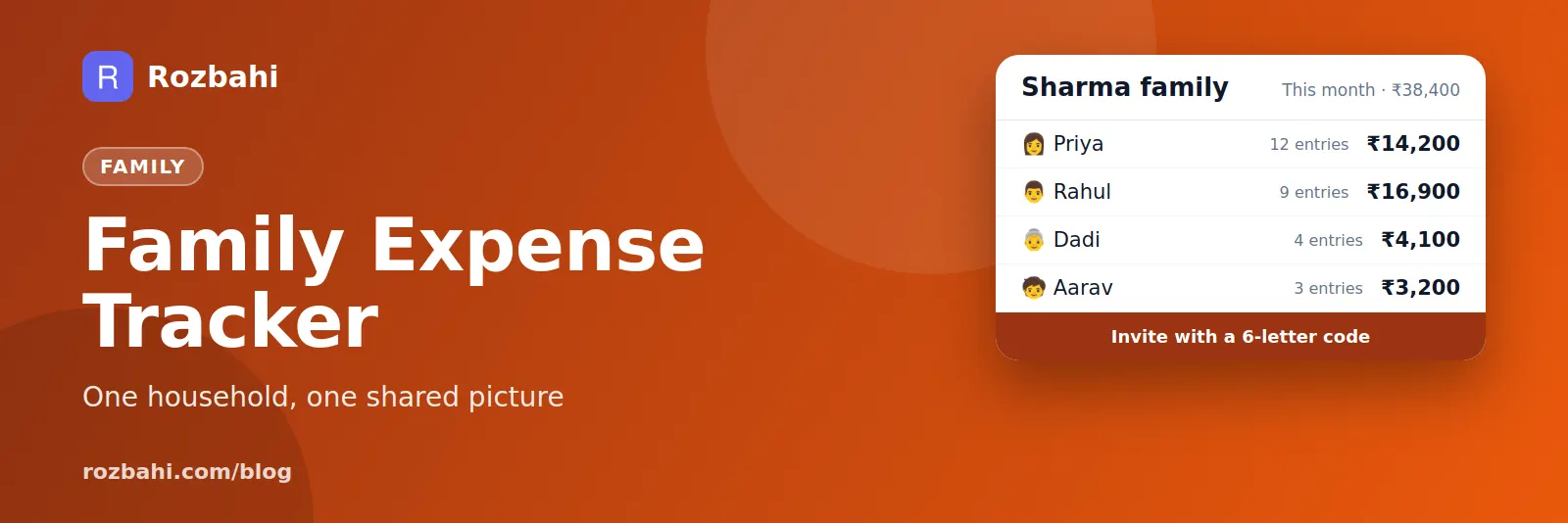
- Create a family group in Rozbahi and share its 6-letter invite code with your family.
- Each person adds expenses to the group from their own phone. Personal expenses stay private in their own account.
- See the month at a glance: the group total and how much each member has spent.
- Settle up: Rozbahi splits group spending equally between members and shows the fewest payments needed to even it out. Mark a payment as done when it is made.
- Use Hindi or English: each person can choose the app language that suits them.
One family group is included for everyone; more groups are part of Plus or the invite-a-friend unlock.
Frequently asked questions
Can each family member keep personal expenses private?
Yes. In Rozbahi, only expenses added to the group are shared. Everything else stays in your personal account.
What if family members do not share costs equally?
Rozbahi's settle-up assumes an equal split between group members. If your family splits differently, use the group for the shared total and the member view, and settle the agreed amounts yourselves.
Does everyone need a smartphone?
Each person who adds expenses needs the app. Others can still see the monthly summary when the family reviews it together.
Get started: download Rozbahi, create your family group and send the invite code tonight.
Go deeper: Guide: how to track daily expenses · Feature: daily expense tracker · Guide: split expenses with flatmates · Feature: split expenses