You pay for parking in a basement, buy vegetables at a market with one bar of signal, or grab tea on a train between stations. If your expense tracker needs the internet to save an entry, those are exactly the moments it fails. An offline expense tracker app saves the entry on your phone first and syncs it when you are back online. It sounds like a small detail, but it is the difference between a complete record and a leaky one.
Why offline matters more than you think
- The best time to log is right after paying, and that is often where the signal is weakest.
- Waiting kills the habit. If the app spins, you close it and plan to "add it later". Later rarely comes.
- Travel and roaming. Abroad or on a slow network, you still want to track every spend.
- Speed. An app that saves to the phone first feels instant, even on a good connection.
Offline-first vs online-only apps
Online-only apps send every entry to a server before showing it. No connection means an error or a lost entry.
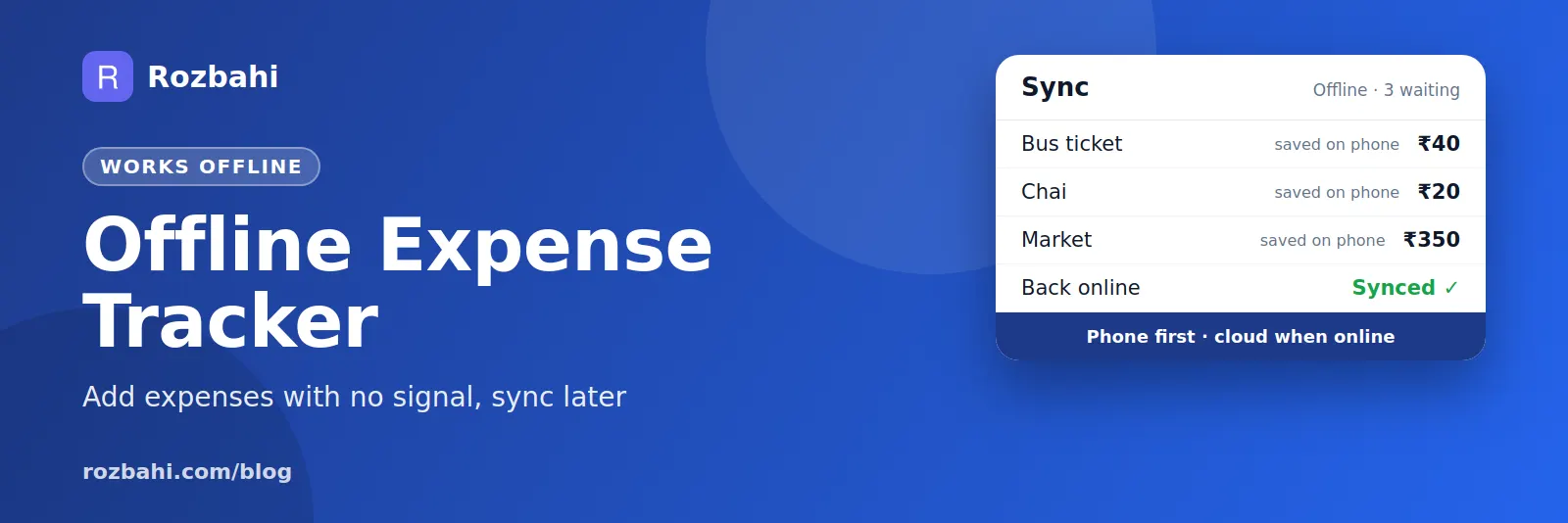
Offline-first apps treat your phone as the main copy. Entries are saved instantly to a local database and queued. When the connection returns, the queue is sent to the cloud and changes from your other devices come back.
For an expense tracker, offline-first is the better design: you never wait, and you never lose an entry.
What to check before you choose
- Airplane-mode test. Turn on airplane mode, add three expenses, edit one, delete one. Turn it off and check that all changes appear on a second device.
- Conflicts. If you edit the same expense on two phones, the app should keep one clear version, not create duplicates.
- Retries. If the sync fails halfway, retrying should not create double entries.
- Backup. Offline data lives on your phone, so check that cloud backup exists and is encrypted.
- Reports offline. You should still see totals and categories without a connection.
Is offline tracking private?
Offline-first apps keep a full copy on your phone, which is good for privacy and speed. What matters next is how the cloud copy is protected. Look for an app that does not need your bank login and that encrypts backups before they are uploaded. Our guide to an expense tracker app checklist covers privacy in more detail.
Real situations where offline tracking matters
- Weekly vegetable markets. Crowded, outdoor and often on the edge of coverage. Ten small purchases in twenty minutes.
- Underground parking and metro stations. You pay at the exit and lose signal at the same moment.
- Trains and highways. Long stretches with no data, but plenty of tea, snacks and tolls.
- Travel abroad. Roaming data is expensive or switched off; you still spend every day.
- Rural and hill areas. Visiting family often means weak networks for days.
- Power cuts. When the building's Wi-Fi is down, mobile data is often overloaded too.
In each case, an online-only app forces a choice between waiting and forgetting. An offline-first app removes the choice: save now, sync later.
How sync works, in plain words
Think of your phone as a notebook and the cloud as a safe copy. Every time you add, edit or delete an expense, the notebook is updated immediately and a note is put on a "to send" list. When the phone is online, the app sends the list to the cloud, then asks the cloud for anything that changed elsewhere — on your second phone, or in your family group — since the last time it checked. Both copies end up the same.
Two rules keep this safe. First, every change carries an ID, so if the same change is sent twice (because a reply was lost), the cloud recognises it and does not create a duplicate. Second, when two devices change the same entry, one clear rule decides which version wins, so you never end up with two different amounts for one expense.
Offline tracking while travelling
- Before the trip: create a trip category or group, and add templates for repeat costs like metro tickets or daily breakfast.
- During the trip: log as you pay, even with no data. Add a short note with the place.
- Back at the hotel: connect to Wi-Fi once a day so everything syncs and is backed up.
- After the trip: review the total and the biggest categories, and settle shared costs with your travel group.
Offline-first is also faster online
Even with full signal, an app that waits for the server before saving feels slow: a spinner for half a second, every single time. Over hundreds of entries a month, that friction is exactly what makes people stop tracking. Offline-first apps save to the phone instantly and sync in the background, so the app feels quick whether you are on fast Wi-Fi or in a lift.
Keeping two phones in step
Many people track on two devices: a personal phone and a work phone, or a phone and a tablet at home. With good sync, an expense added on one appears on the other after the next sync. A few habits help:
- Open the app on each device at least once a day so it can sync.
- Avoid editing the same expense on two devices at the same time.
- If something looks different on two devices, open the app on both while online; the newest saved version wins.
- Before replacing a phone, open the app once while online so every offline change is uploaded.
A quick checklist
An expense tracker is truly offline-ready if you can answer yes to all of these: it saves instantly with no signal, shows your totals offline, syncs on its own when you are back online, never creates duplicates on retry, keeps one clear version when two devices disagree, and backs up your data in encrypted form.
How Rozbahi works offline
- Every change is saved on your phone first: expenses, categories, recurring bills, templates and budgets.
- Changes are queued and sent automatically when you are online: after you sign in, when you reopen the app, and shortly after any edit.
- Your other devices catch up: sync pulls changes made elsewhere, so a second phone stays up to date.
- Safe retries: if a sync reply is lost and the app sends the same change again, the server recognises it and does not create a duplicate.
- Clear conflict rule: if the same entry was edited in two places, the newer server copy wins and your phone is updated. Deletes always win, so a deleted expense does not come back.
- Encrypted cloud backup: backups are encrypted with your PIN on the phone before upload.
Rozbahi never asks for your bank login; you add expenses yourself in a few taps, with templates for daily items.
Frequently asked questions
Can I use an expense tracker without internet at all?
Yes, for logging and viewing your own data. You need a connection to sign in the first time, sync with other devices, share with a family group and make cloud backups.
What happens if I lose my phone?
Anything already synced is safe in your account and comes back when you sign in on a new phone. Entries made offline and never synced are only on the lost phone, so let the app sync whenever you have a connection.
Does offline mode use more battery?
No. Saving to the phone is lighter than sending every entry over the network.
Try the airplane-mode test yourself: download Rozbahi.
Go deeper: Guide: how to track daily expenses · Feature: daily expense tracker