Subscriptions are designed to be forgotten. A streaming service here, a music app there, cloud storage, a fitness app, a news site, a free trial that quietly turned paid. Each one feels small. Together, they can easily cost more than your electricity bill — every month, automatically. A simple subscription tracker brings them into view, so you keep what you use and cancel what you do not.
Why subscriptions are easy to lose track of
- Automatic payments: no moment of decision each month.
- Small amounts: ₹119 or $5 does not feel like much.
- Different billing cycles: monthly, quarterly and yearly renewals on different dates.
- Free trials that convert to paid if you forget to cancel.
- Different payment methods: card, UPI autopay, app store billing and wallets.
- Family plans paid by one person and forgotten by everyone else.
The 30-minute subscription audit
Step 1: Find every subscription (15 minutes)
Look in these places for anything that repeats:
- Bank and credit card statements for the last three months
- UPI autopay mandates in your UPI apps
- App store subscriptions on your phone (Google Play and Apple both list them in account settings)
- Email inbox — search for "receipt", "renewal", "subscription" and "trial"
Step 2: List them with the real yearly cost (5 minutes)
For each subscription, write the name, price, billing cycle, renewal date and payment method. Then calculate the yearly cost. A ₹649 monthly plan is ₹7,788 a year; a ₹1,500 gym membership is ₹18,000. Seeing yearly numbers changes how decisions feel.
Step 3: Sort into keep, review and cancel (10 minutes)
- Keep: used weekly and worth the price.
- Review: used occasionally — could a cheaper plan, a shared family plan or pausing work?
- Cancel: not used in the last 30 days.
A worked example
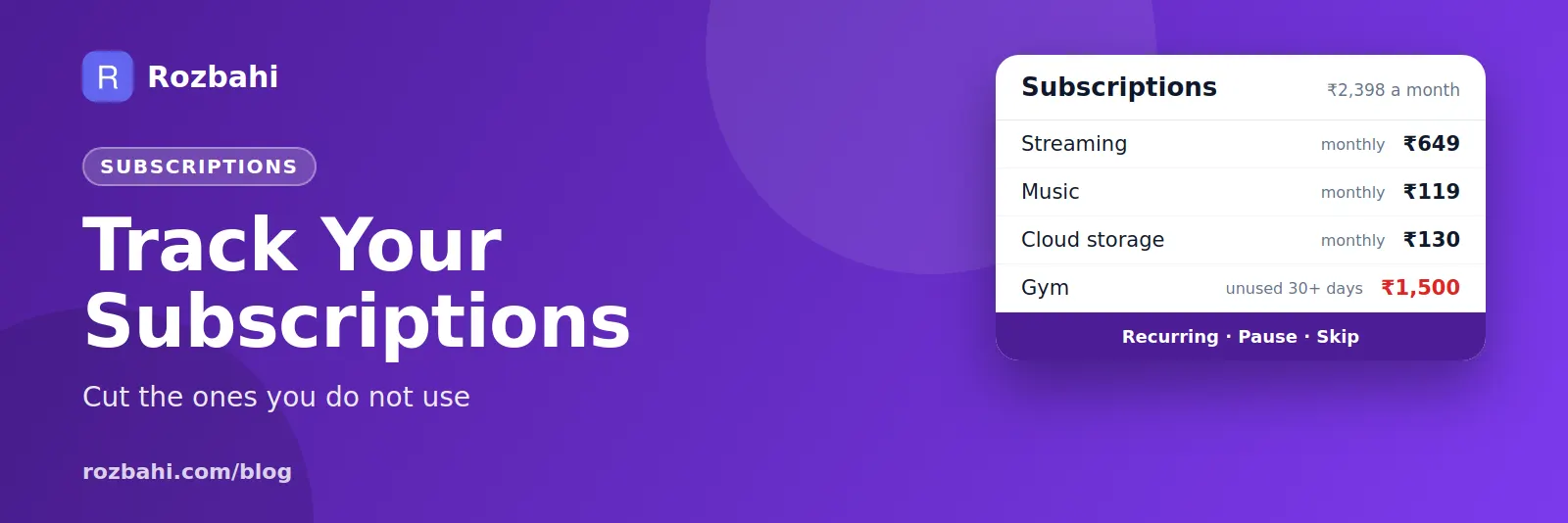
One person's audit finds four subscriptions:
- Streaming: ₹649 a month — used every week. Keep.
- Music: ₹119 a month — used daily. Keep.
- Cloud storage: ₹130 a month — needed for phone backups. Keep.
- Gym: ₹1,500 a month — not used for six weeks. Cancel or pause.
Monthly total: ₹2,398. Cancelling the unused gym saves ₹1,500 a month, ₹18,000 a year. One decision, made in a minute, because the number was finally visible.
Keep subscriptions under control
- Record every subscription as a recurring bill in your expense tracker, so it appears in your monthly spending instead of hiding in a statement.
- Set a calendar reminder two days before a free trial ends.
- Prefer monthly plans for anything new, and switch to yearly only after three months of steady use.
- Rotate streaming services: subscribe to one at a time, watch what you want, cancel, and move to the next.
- Share family plans where the terms allow it, and agree who pays.
- Review every quarter. A 10-minute check four times a year keeps the list clean.
Yearly renewals: the expensive surprises
Annual subscriptions — software, domains, memberships, insurance add-ons — are the ones that hurt, because a large amount appears with no warning. Add them as yearly recurring bills with the correct renewal date. A month before renewal, decide whether to keep it, while you still have time to cancel.
How cancelling usually works
- App store subscriptions: cancel from your Google Play or Apple account settings, not just by deleting the app.
- Card subscriptions: cancel on the provider's website or app; you can also ask your bank about stopping a recurring card payment.
- UPI autopay: view and revoke mandates in your UPI app.
- Keep proof: save the cancellation confirmation email or screenshot.
Deleting an app does not cancel its subscription. Always cancel at the source.
Subscriptions people forget most often
- Free trials for streaming, music, news or software that became paid.
- Duplicate cloud storage: paying for space on two services when one would do.
- Apps bought for a single task — a photo editor, a fitness challenge, a language course.
- Bundles bought with a phone or broadband plan, then also paid separately.
- Memberships — gyms, clubs, shopping memberships with annual fees.
- Old family members' plans still billed to your card.
Cost per use: is it worth it?
A helpful way to judge a subscription is cost per use. Divide the monthly price by how many times you used it last month. A ₹649 streaming service watched 20 times costs about ₹32 per use — good value. A ₹1,500 gym membership used twice costs ₹750 per visit — probably not. Cost per use turns a vague "I might use it" into a clear decision.
Family and shared subscriptions
Families often end up paying for the same service twice — two music plans, two cloud storage plans — when one family plan would cover everyone. During your audit, list subscriptions across the whole household, check which services offer family plans, and agree who pays. If a family plan is shared with people outside your home, check the service's terms first.
Make it a habit
Once your audit is done, the work becomes small. Each new subscription goes straight into your tracker as a recurring bill on the day you sign up. Each quarter, ten minutes to check the list and cost per use. Each year, a month before big renewals, decide again. That is all it takes to stop subscriptions from quietly growing.
Quick summary
Find every subscription in your statements, UPI mandates, app stores and email. Write down the yearly cost of each, keep what you use weekly, review what you use occasionally, and cancel anything untouched for 30 days — at the source, not by deleting the app. Then record every subscription as a recurring bill so new ones never hide again, and review the list once a quarter. Thirty minutes once, ten minutes a quarter, and your subscriptions stay under control for good.
Start with the 30-minute audit this weekend. Most people find at least one subscription they no longer need, and that one cancellation often pays for everything else on the list.
Your future self will thank you.
How to do this in Rozbahi
- Add each subscription as a recurring bill in Rozbahi: name, amount, category, payment method, next date and cycle — monthly, yearly or every N days.
- Choose auto mode so it is recorded on the renewal date, keeping your spending totals complete.
- Pause a subscription you have paused with the provider, and resume it later; skip a cycle you did not pay.
- Review the recurring list each quarter — every subscription is in one place, sorted by its next date.
- See the effect in your monthly report, under the category you chose.
For all your regular bills, not just subscriptions, see our bill reminder guide.
Frequently asked questions
How do I find all my subscriptions?
Check three months of bank and card statements, UPI autopay mandates, your phone's app store subscriptions and your email for receipts and renewals.
How much do people spend on subscriptions?
It varies a lot, and many people underestimate it. The only reliable number is your own, from a quick audit.
Does deleting an app cancel the subscription?
No. Cancel in the app store's subscription settings or with the provider directly.
How often should I review my subscriptions?
Every three months, and a month before any yearly renewal.
Bring every subscription into view: download Rozbahi.
Go deeper: Guide: how to track daily expenses · Feature: daily expense tracker