Search for the best expense tracker app and you will find hundreds of options, all with five-star screenshots. The truth is that there is no single best app. There is the best app for how you spend and who you share money with. This guide groups the main types, explains the trade-offs and gives you a checklist so you can choose in ten minutes instead of trying six apps.
The four types of expense tracker apps
1. Bank-sync budgeting apps
These connect to your bank and card accounts and import transactions automatically. YNAB and Monarch Money are well-known examples in the US.
- Good for: people who pay almost everything by card in countries with good bank connections.
- Trade-offs: usually a paid subscription; you share bank login access with a third party; imports can break or duplicate; cash spending is invisible unless you add it by hand.
2. Manual expense trackers
You enter each expense yourself, ideally in a few taps. Many free and low-cost apps on Android and iPhone work this way.
- Good for: cash and UPI-heavy spending, privacy-minded users, anyone who wants to notice their spending as it happens.
- Trade-offs: you need a habit of logging. A fast app makes this easy; a slow one kills it.
3. Bill-splitting apps
Splitwise is the best-known. They record who paid for shared costs and who owes whom.
- Good for: trips, flatmates and group dinners.
- Trade-offs: they track shared money, not your personal spending, so many people end up using two apps. See our Splitwise alternative guide if that sounds familiar.
4. Family and household trackers
Several people in one home add expenses to a shared picture, while each person keeps their own entries.
- Good for: couples and families who want to know what the household spends in a month.
- Trade-offs: fewer apps do this well; check how sharing and privacy work before you invite everyone.
The checklist: what to compare
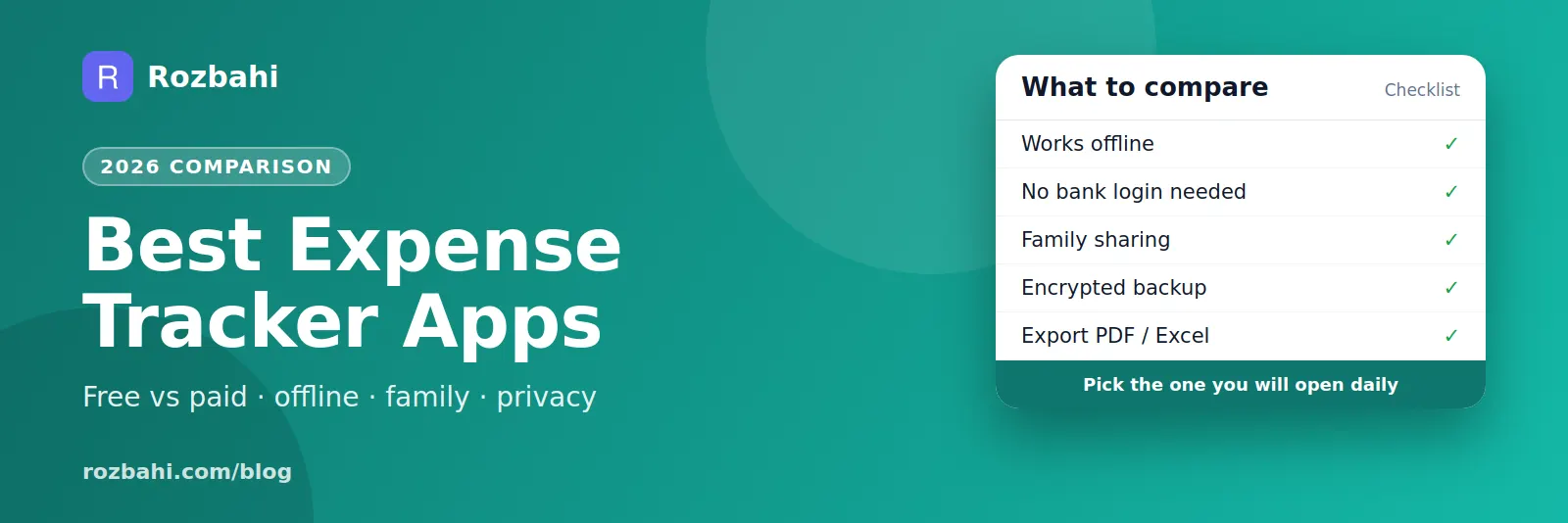
Whatever type you choose, test it against these points:
- Speed of adding an expense. Time yourself. Under ten seconds for a common spend is the goal. Look for templates or quick-add buttons.
- Works offline. Can you log a spend with no signal and have it sync later? Our offline expense tracker guide explains why this matters.
- Privacy. Does it require your bank login? Where is your data stored? Is the backup encrypted?
- Categories you can change. Defaults should match everyday life (groceries, milk, fuel, rent), and you should be able to add your own.
- Recurring bills. Rent and subscriptions should repeat on their own.
- Budgets. Monthly limits per category, with a clear "how much is left".
- Reports. Monthly totals, spending by category and comparison with last month, without exporting to a spreadsheet.
- Sharing. If you share costs, can the app split them and show who should pay whom?
- Export. Can you get your data out as PDF or Excel?
- Language and currency. Does it support the language you think in and the currency you spend in?
- Price. Is the free version actually usable, and what does paying add?
Free vs paid: what you usually get
Free versions normally cover logging, categories and basic monthly totals. Paid tiers tend to add advanced reports, export, multiple shared groups, bank sync or cloud features. Pay only for features you would miss after a month; a free app you use daily beats a paid app you open once a week.
Questions to ask yourself first
Before comparing features, answer four questions about how you live. They narrow the field faster than any review:
- How do you pay? Mostly card, or a mix of cash, UPI and card? Bank-sync apps only see cards and accounts; cash and many UPI payments slip through.
- Who shares your money? Just you, a partner, a family, or flatmates? Sharing changes the choice more than anything else.
- How do you feel about privacy? Are you comfortable giving an app access to your bank transactions, or would you rather type each expense?
- What do you want to see at month end? A single total, a budget check per category, or detailed trends?
Test any app in 14 days
Reviews tell you what an app can do. A two-week test tells you whether you will use it. Try this plan:
- Day 1: install, pick 10–15 categories, add your recurring bills and three quick-add templates for daily spends.
- Days 2–7: log everything, as soon as you pay. Note anything that slows you down.
- Day 7: do a weekly review. Was it easy to see your top categories?
- Days 8–13: try the airplane-mode test, edit and delete a few entries, and invite one person if you plan to share.
- Day 14: decide. If you skipped logging on more than three days, the app is too slow for you — try another.
Red flags to watch for
- Ads between you and the add button. Every extra screen lowers the chance you log.
- No export. If you cannot get your data out, you are locked in.
- No backup, or unencrypted backup. Years of spending history deserve protection.
- Required bank login for basic features. Tracking should work without it.
- Vague privacy policy. Look for a clear statement of what is collected and whether data is sold or shared.
- Features you cannot try for free. A good app lets you see real value before asking you to pay.
Matching the app to the person
- Students: a fast, free manual tracker with a simple monthly limit.
- Couples: an app with shared groups so both people's household spending adds up.
- Families: sharing, a language everyone reads, and categories for daily household items.
- Flatmates and travellers: group expenses and a clear settle-up.
- Card-only spenders who want automation: a bank-sync budgeting app, if available in your country.
Where Rozbahi fits
Rozbahi is a manual expense tracker built for daily household spending, with family sharing built in. Against the checklist:
- Fast capture: quick add plus one-tap templates for repeat spends.
- Offline first: entries are saved on your phone and sync when you are online.
- No bank login: you never connect a bank account. Cloud backups are encrypted with your own PIN before they leave the phone.
- Everyday categories: 14 defaults such as milk, groceries, vegetables, fuel, rent and bills, plus your own.
- Recurring bills, monthly budgets and reports: category limits, daily average and change from last month.
- Family groups: share a household view and settle up with the fewest payments.
- English and Hindi in the app.
- Plus: advanced trends, PDF/Excel export and extra groups. You can also unlock these by inviting a friend.
Honest limits: Rozbahi does not import bank transactions, and amounts are in Indian rupees today. If you need automatic bank import, a bank-sync app is the better fit.
Frequently asked questions
What is the best free expense tracker app?
The one you will open every day. Pick a free app that adds an expense in under ten seconds, works offline and gives you a monthly report without paying. Try it for two weeks before deciding.
Is it safe to connect my bank to a budgeting app?
Reputable bank-sync apps use secure connections, but you are still giving a third party access to your transactions. If that worries you, a manual tracker gives you the same insight without any bank connection.
Can one app track personal and shared expenses?
Some can. Look for an app where shared group expenses and personal spending live together, so you do not have to keep two apps in sync.
Try it: download Rozbahi and run the ten-second test on your next purchase.
Go deeper: Guide: how to track daily expenses · Feature: daily expense tracker